SOLIDWORKS

SOLIDWORKS

SOLIDWORKS SHEET METAL

Sheet Metal teaches you how to build sheet metal parts using SOLIDWORKS mechanical design automation software. Building standalone sheet metal parts, and converting conventional parts to sheet metal, including in assembly context, are covered.

SOLIDWORKS

SOLIDWORKS ESSENTIALS

SOLIDWORKS Essentials teaches you how to use the SOLIDWORKS mechanical design automation software to build parametric models of parts and assemblies, and how to make drawings of those parts and assemblies.

SOLIDWORKS

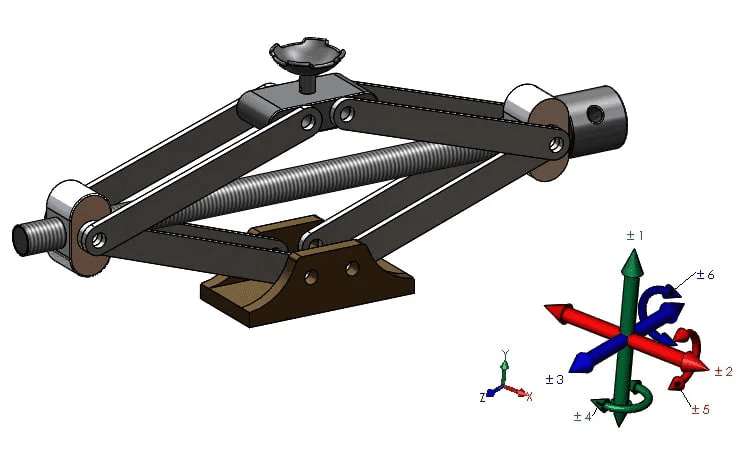
SOLIDWORKS MOTION

Designed for users who would like to become productive quickly in using SOLIDWORKS Motion. This 2 days course will teach you how to use the SOLIDWORKS Motion simulation package to study the kinematics and dynamic behavior of your SOLIDWORKS assembly models.

SOLIDWORKS

SOLIDWORKS SIMULATION PREMIUM DYNAMICS

This course is targeted for the users who would like to become productive in analyzing structures subjected to various types of dynamic loading. The material covered includes the time dependent analysis (force loads as well as motion shock loading examples), harmonic analysis and random vibration analysis (MILS-STD-810F example is included), response spectrum analysis, and introduction to nonlinear dynamics simulation.

SOLIDWORKS

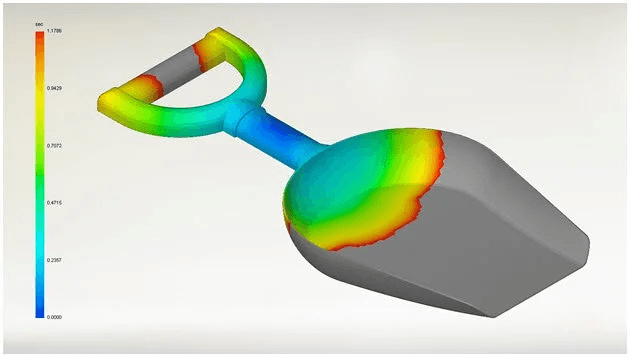
SOLIDWORKS PLASTICS

The SOLIDWORKS Plastics course teaches you how to use specialized simulation software tools to predict how melted plastic flows during the injection molding process. Predicting how the plastic will flow enables you to predict manufacturing defects such as weld lines, air traps, short shots, and sink marks. By predicting these defects, you can change the part or mold geometry, the processing conditions, or the plastic material itself to eliminate or minimize them, saving energy, material, time, and money. The SOLIDWORKS Plastics course covers all the features and functions of both SOLIDWORKS Plastics Professional (for part designers) and SOLIDWORKS Plastics Premium (for mold designers).

Scroll to Top