SOLIDWORKS Routing Electrical
Routing – Electrical explains how to create, edit and manage Electrical routes, from the critical routing components and their design requirements to the sub-assemblies that contain the routes.

Routing – Electrical explains how to create, edit and manage Electrical routes, from the critical routing components and their design requirements to the sub-assemblies that contain the routes.
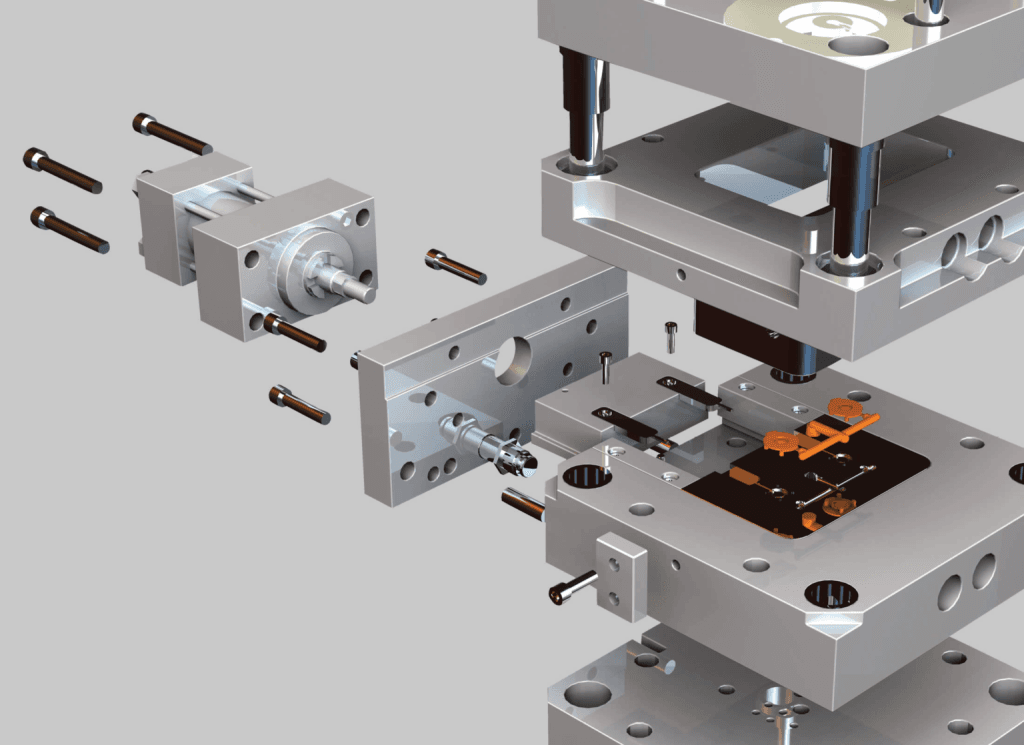
Mold Design Using SOLIDWORKS teaches you several manual mold creation techniques and how to use the Mold Tools in SOLIDWORKS mechanical design automation software.

The focus of this course is on the fundamental skills and concepts central to the successful use of SOLIDWORKS PDM. The intended audience for this course is anyone who will setup and/or administer SOLIDWORKS PDM.
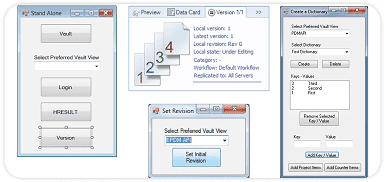
API Fundamentals teaches you how to use the SOLIDWORKS API (Application Programming Interface) to automate and customize SolidWorks.

This course teaches how to use the SOLIDWORKS Visualize software to create professional, high quality renderings, videos and VR outputs for marketing purposes.
SOLIDWORKS VISUALIZE PROFESSIONAL DOWNLOAD SCHEDULE COURSE OUTLINE TRAINING FILE GET A QUOTE COURSE QUICK INFO DURATION 2 Days 9:00 AM
SOLIDWORKS INSPECTION DOWNLOAD SCHEDULE COURSE OUTLINE TRAINING FILE GET A QUOTE COURSE QUICK INFO DURATION 0.5 Days 9:00 AM –

This course teaches how to use the SOLIDWORKS CAM Standard software to generate, modify and post process 2.5 axis milling toolpaths used for the machining of SOLIDWORKS part files.

This course teaches how to use the SOLIDWORKS CAM Professional software to machine parts utilizing advanced functionality such as: CAM or SOLIDWORKS configurations, VoluMill™, mill machining in the context of an assembly, and 3 plus 2 machining. Additionally, the course teaches how to generate, modify and post process 2 axis turning toolpaths used for the machining of SOLIDWORKS part files.
CSWP REFRESHER DOWNLOAD SCHEDULE COURSE OUTLINE GET A QUOTE COURSE QUICK INFO DURATION 1 Day 9:00 AM – 5:00 PM

As a Certified SOLIDWORKS Expert (CSWE), you will shows that you have successfully demonstrated your ability to use all area of SOLIDWORKS knowledge.

As a Certified SOLIDWORKS Professional Advanced Drawing Tools (CSWPA-DT), you will shows that you have successfully demonstrated your ability to use SOLIDWORKS Drawing environment knowledge.
As a Certified SOLIDWORKS Professional Advanced Surfacing (CSWPA-SU), you will shows that you have successfully demonstrated your ability to use SOLIDWORKS Advanced Surfacing tools knowledge.
As a Certified SOLIDWORKS Professional Advanced Weldments (CSWPA-WD), you will shows that you have successfully demonstrated your ability to use SOLIDWORKS tools for Weldments knowledge.
As a Certified SOLIDWORKS Professional Advanced Mold Making (CSWPA-MM), you will shows that you have successfully demonstrated your ability to use SOLIDWORKS Mold Tools functionality with Mold Making Industry knowledge.
As a Certified SOLIDWORKS Professional Advanced Sheet Metal (CSWPA-SM), you will sets you apart as a person who has successfully demonstrated their understanding of the set of SOLIDWORKS tools that aid in the design of sheet metal components.
As a Certified SOLIDWORKS Professional (CSWP) is an individual who has successfully passed our advanced skills examination. Each CSWP has proven their ability to design and analyse parametric parts and movable assemblies using a variety of complex features in SOLIDWORKS.
As a Certified SOLIDWORKS Associate (CSWA), you will stand out from the crowd in today competitive job market. CSWA certification is proof of your SOLIDWORKS expertise cutting-edge skills that businesses seek out and reward.